
Google Nest Thermostat
Hazel Do (UX & Visual Designer)
Lane Lieberman (Service Designer)
Jolin Wu (UX Designer)
Alex Bivins (Research & UX Designer)
Tanvi Joshi (UX Designer)
Shutong Yang (Interaction Designer)
Team
Figma
Adobe Photoshop
Adobe Illustrator
Tools
November - January, 2024
Timeline

Project overview
Introduction
This redesign of the Google Nest Thermostat aims to improve both affordability and sustainability by enhancing user understanding of energy savings. The current design lacks clear features and feedback, leaving users disconnected from its environmental and cost-saving benefits. Through an iterative design process, we’ve crafted an intuitive, engaging interface that empowers users to save energy and reduce costs while maintaining a sustainable lifestyle.

Concept and approach
The process
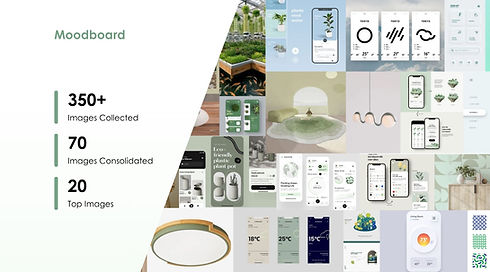
Our Google Nest Thermostat redesign focused on an intuitive, eco-friendly interface that promotes energy savings and sustainable habits. Using a collaborative, iterative process, we refined our design through feedback, mood boards, and usability testing. The final concept empowers users with clear energy insights and personalized notifications, making sustainable living more accessible and affordable.


Conclusion and findings
Outcome
The redesigned Google Nest Thermostat successfully addresses the core issues of user engagement and energy savings. By providing clear, actionable insights into energy usage through the analytics page and encouraging sustainable behaviors with timely notifications, the design enhances user understanding and satisfaction. The new interface not only empowers users to make smarter decisions about their energy consumption but also strengthens the connection between environmental sustainability and cost-saving practices. Ultimately, the redesign makes energy efficiency more accessible and intuitive, aligning with both user needs and the core values of sustainability and affordability.


